
Top NFC Label Choices to Streamline Your Daily Routine
2026-05-13
Ever fumbled through your bag for keys or waited in a sluggish checkout line? NFC labels are rewriting those moments, making everyday tasks almost effortlessly smooth. At OSRFID, we see these tiny tags as more than just tech—they're your shortcut to a streamlined life. Let's explore the top picks that can transform your routine from chaotic to calm.
Streamline Your Morning with a Single Tap
Imagine waking up to a room that already knows your routine. Your shades lift gently, the coffee starts brewing, and your favorite morning playlist fills the space—all triggered by a single tap on your phone or smart hub. It’s not some distant future; it’s a small shift in how you set up your mornings, letting you skip the mental checklist and ease into the day.
The beauty lies in simplicity. Instead of fumbling with multiple apps or switches, you consolidate those small, repetitive actions into one touch. Whether it’s adjusting the thermostat, turning on the news, or even preheating the bathroom floor, the process becomes invisible. You’re not managing devices; you’re reclaiming time.
Over time, this tiny ritual becomes second nature. Mornings stop feeling like a race against the clock and more like a quiet, intentional start. And the best part? It adapts to you, not the other way around. A single tap doesn’t just streamline tasks—it subtly reshapes how you experience the first hour of your day.
Never Type a Wi-Fi Password Again
Remember the last time you tried to connect to a friend’s Wi‑Fi, only to squint at a crumpled note with a password that looked like a cat walked across the keyboard? Those days are fading fast. Modern devices and routers now let you share access with a tap, a QR code, or even just by being nearby. It’s not just about convenience—it’s about ditching the mental clutter of memorizing or hunting down that one sticky note you lost six months ago.
For iPhone users, the built‑in sharing feature hands over the password seamlessly when both devices are in each other’s contacts. Android has its own twist: generate a QR code straight from the Wi‑Fi settings and let your guest scan it. Even better, some mesh systems and routers now offer guest networks that automatically share credentials through a dedicated app or a simple web portal, no typing required. It feels like magic, but it’s really just well‑designed tech doing what it should—saving you from the tiny annoyance that is manually entering a string of characters.
Of course, the real charm is when you’re hosting a gathering and someone asks, “What’s the Wi‑Fi?” Instead of reciting a mix of letters and numbers, you just point them to a printed QR code on the fridge or send a pre‑saved message. No more spelling mistakes, no more “Was that an uppercase I or a lowercase l?” The password never touches your lips, and that small victory adds a surprising amount of polish to everyday hospitality.
Turn Your Phone into a Universal Remote
Most people don’t realize their phone can double as a universal remote, eliminating the clutter of dedicated controllers. If your device has a built-in infrared blaster—a feature more common than you might think—you’re already halfway there. Even older models often include this hardware, letting you beam commands directly to your TV, air conditioner, or stereo system. It’s like instantly consolidating a drawer full of remotes into one slim gadget you always carry.
No infrared? No problem. Many modern appliances sync over Wi-Fi, allowing apps like manufacturer-specific utilities or third-party solutions to take control. You’ll be surprised how many smart TVs and streaming boxes respond to these without any extra gadget. The setup is usually straightforward: download the right app, pair it on the same network, and start browsing functions from your palm. It’s a quick way to streamline your evening routine without rummaging between couch cushions.
Beyond basic channel swapping, these remote apps often pack extras like keyboard input for faster searches or gesture-based volume controls. Customize button layouts for the stuff you use most, and you’ll never go back to juggling plastic clickers. Just keep an eye on your phone’s battery—streaming a movie while commanding your gear can drain it faster than expected. Still, a single tap to dim the lights or pause playback feels like a minor superpower.
Effortless Payments at Your Fingertips
Gone are the days of fumbling for cash or typing in long card details. With just a tap or a glance, your transaction is done—whether you’re splitting a dinner bill, paying for a ride, or grabbing a coffee on the go. It’s the kind of seamlessness that turns a chore into a barely-noticed moment.
Behind the scenes, advanced security keeps your info safe, but you never have to think about it. The process feels natural because it eliminates friction. No redirects, no waiting for OTPs—just an instant confirmation that feels almost invisible, so you can stay focused on what matters.
This isn’t just about speed; it’s about designing a payment experience that respects your time and attention. From recurring subscriptions to one-tap checkouts, the technology adapts to your habits, making every interaction feel like it was crafted for you personally.
Share Your Contact Info Instantly
Forget fumbling with business cards or typing out long email addresses character by character. With just a tap, your full contact details—phone, email, social profiles, and even a custom note—can land on someone else's phone, ready to be saved. It’s the kind of seamless handshake that keeps conversations flowing instead of getting stuck on logistics.
We built this to feel less like a data dump and more like a natural extension of meeting someone. You choose exactly what to share each time, so you’re not oversharing when a quick LinkedIn connection would do. The instant transfer works across platforms, no special apps or QR codes needed on the receiving end—just a simple link that opens a clean, readable card.
Automate Home Routines Without Apps
Sometimes the simplest solutions are the ones we overlook. A light timer plugged into a lamp can make it seem like someone's home even when you're away, and there's no app required to set it. Those mechanical timers with little pins you press down have been around for decades, and they just work. You don't need to worry about Wi-Fi passwords or software updates—just plug it in, set the dial, and let the pins do the thinking.
Motion-sensing switches are another way to cut out the middleman. Replace a standard light switch with one that detects movement, and your hallway or pantry lights turn on the moment you walk in. No voice commands, no pulling out a phone. It's all hardware, and it responds instantly. You can even find battery-operated stick-on lights with built-in sensors if rewiring feels like too much trouble.
For bigger routines, consider using your home's existing wiring. A simple programmable thermostat lets you set heating and cooling schedules directly on the device. No cloud service needed. And if you want to get clever with appliances, an old-school outlet timer can cut power to your coffee maker at night and turn it back on in the morning, so you wake up to fresh brew without ever touching an app. These dedicated devices focus on one job and do it without distractions.
FAQ
You can stick an NFC label on your nightstand and program it to turn off your alarm, start your coffee maker, and read out your schedule for the day just by tapping your phone against it. It’s like having a personal assistant that only works when you want it to.
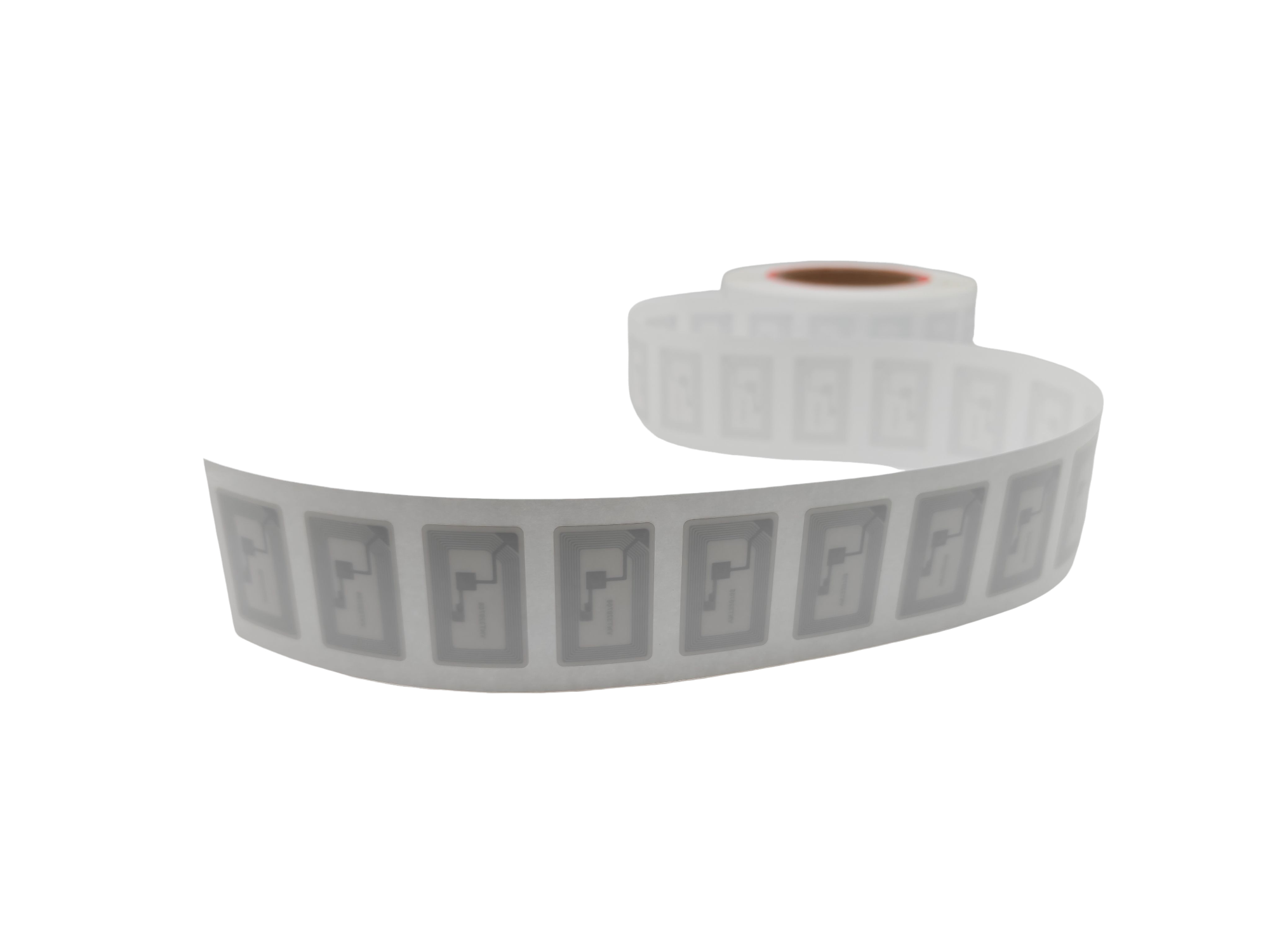
Look for labels with a strong adhesive and a decent memory size if you plan to store more complex commands. The NTAG 215 series is a popular, reliable choice that works with most phones, and they’re thin enough to hide under a sticky note or behind a webcam.
Absolutely. Place one on your bedside lamp base and set it to dim the lights, enable do-not-disturb mode, and play a sleep playlist. It’s a small, tactile ritual that signals your brain it’s time to wind down without staring at a screen.
Some people put them inside their gym bag to log workouts instantly, or stick one on a plant pot that opens a care guide when tapped. You can even place one in your car to send a pre-written ‘on my way’ text. The real trick is thinking about the tiny, repetitive tasks you do daily and offloading them to a tap.
Use a free app like NFC Tools. Write a Wi-Fi network record to the label with your SSID and password. Then whenever a guest taps it, their phone will offer to connect without you ever having to spell out your password again. Just test it once to make sure the data took properly.
NFC works with a single tap, no camera needed, which makes it faster and more seamless for actions you repeat often. QR codes require you to open an app and line up the shot. For quick triggers like toggling smart lights, NFC feels almost invisible — like flipping a real switch.
Start with a pack of five or six. Place them in the spots where you habitually reach for your phone: your entrance for toggling lights, your desk for a focus mode, your bedside for wind-down. You’ll quickly see which ones become second nature and can expand from there.
Yes, most NFC labels are rewritable as long as you didn’t lock them. You can erase and reprogram them anytime with a compatible app. Just keep in mind that the more you rewrite, the sooner they may wear out, though for personal use they’ll last years.
Conclusion
NFC tags are an underappreciated tool for cutting friction out of everyday tasks. Stick one on your nightstand and set it to trigger an alarm, play a morning playlist, and read out the weather with a tap—your a.m. routine on autopilot before you’ve even left the bedroom. For guests (and for yourself), a tag by the router or on a fridge magnet can share the Wi-Fi credentials instantly, so nobody ever asks for a password again. And if you’re tired of juggling remotes, a single tag on the coffee table can turn your phone into a universal controller, launching your TV app, adjusting lights, or even queuing up a streaming service without endless scrolling.
Beyond convenience, NFC labels quietly handle the things we repeat daily. Keep one in your wallet or on a keychain for contactless payments, and you’ll skip fumbling with cards at the register. A dedicated tag on a business card or desk sign makes sharing your contact details painless—just a tap sends your vCard, no spelling errors or lost cards. For home automation, place a tag near the door or bedside to run entire sequences without opening an app: set a scene that dims lights, locks doors, and adjusts the thermostat when you leave, or one that activates a “relax” mode when you’re winding down. Each choice feels small, but together they quietly reshape how you move through the day.
Contact Us
Contact Person: Esme Mo
Email: [email protected]
Tel/WhatsApp: 0086 191 2931 7837
Website: https://www.osrfidglobal.com/